

Plan every tour. Track every truck. Know what each kilometre costs.
- Interface in German and English
- Cost model in EUR
- Work orders and payroll as PDF
Everything a dispatch office deals with, built in
- 0 h
- Hour-by-hour timeline for every truck
- 0
- Cost lines in every tour calculation
- 0
- Cost report views: overview, truck, driver, trailer, tour
- 0
- Tours side by side in the comparison view
- DE / EN
- Interface and documents in both languages

The plan for tomorrow is already done before the last truck is back.
05:40 · DepotWhy PlanNXT
Your trucks don't wait for the plan. Neither should your office.
Most transport companies run on experience, a wall board and a lot of phone calls. PlanNXT keeps that experience — and takes the guesswork, the double bookings and the surprise costs out of it.
Fewer empty kilometres
See every truck, every trailer and every open slot on one board — and fill the gaps before they cost you diesel.
No double-booked trucks or drivers
Leave, workshop days and overlapping tours show up while you plan, not when the driver calls at six in the morning.
Quotes you can stand behind
Know what a tour really costs — driver, toll, fuel, trailer — before you name a price, and see afterwards whether it held.
How it works
From tour request to paid driver — one flow
Every record you enter feeds the next step. Nothing is typed twice, and the numbers on the payroll are the same numbers that were on the tour.
- 1
Create the tour
Customer, reference, vehicle type, trailer requirement, locations and the work-order PDF.
Tours - 2
Calculate the price
Driver, toll, fuel, AdBlue, insurance, maintenance, tires and trailer — plus your profit percentage.
Cost model - 3
Drop it on the planner
Assign truck, trailer and driver on the 24-hour grid. Overlaps and missing crew are flagged.
Planner - 4
Drive and record actuals
Enter the real distance, duration, toll and fuel after the trip and compare against plan.
Real costs - 5
Pay and report
Payroll per driver and month, PDF statements, cost reports and the financial log.
Payroll · Reports
Product
Everything the dispatch office touches, in one place
PlanNXT is organised the way a transport company works. Each module keeps its own records and feeds the planner, the dashboard and the reports.
Tours and planner
Create tours with customer, reference, vehicle type and trailer requirement. Upload the work order PDF, set the timeline and locations, and repeat trips on the weekdays you choose.
Vehicles and trailers
Vehicle and trailer records with brand, make and model, ownership, insurance and mileage. Log damages and block out unavailability periods.
Drivers
Driver profiles with licences, vacation quotas and a leave calendar. Half-day and full-day leaves, public holidays and Sundays are respected when planning.
Customers
Customer records with contacts and references, and a ranking of your top-paying customers on the dashboard.
Reports and analytics
Cost reports and TCO by period, side-by-side tour comparison and a financial log of every posting.
Costs and expenses
Office and fleet expenses grouped by expense entity, tour deductions and holidays — everything that feeds the cost reports.
Users and roles
Role-based permissions for dispatchers, accounting and management. Each user only sees the modules they need.
Configuration
Brand / make / model catalogue, saved locations with HERE address search, and the company's About, Terms and Privacy pages in both languages.
A day with PlanNXT
One working day, from the yard to the last delivery
This is what the day looks like when dispatch, drivers and accounting all read from the same page.
 05:3001 / 04
The yard, before sunrise
Every truck already has its tour, trailer and driver for the day. Nobody is hunting for a key or a crew.
 09:1502 / 04
On the road
The office sees what is running now and what leaves next, and can move tours between trucks when the day changes.
 14:0003 / 04
In the office
A new customer request lands. The price is calculated in minutes and the tour dropped onto the board — no spreadsheet, no guessing.
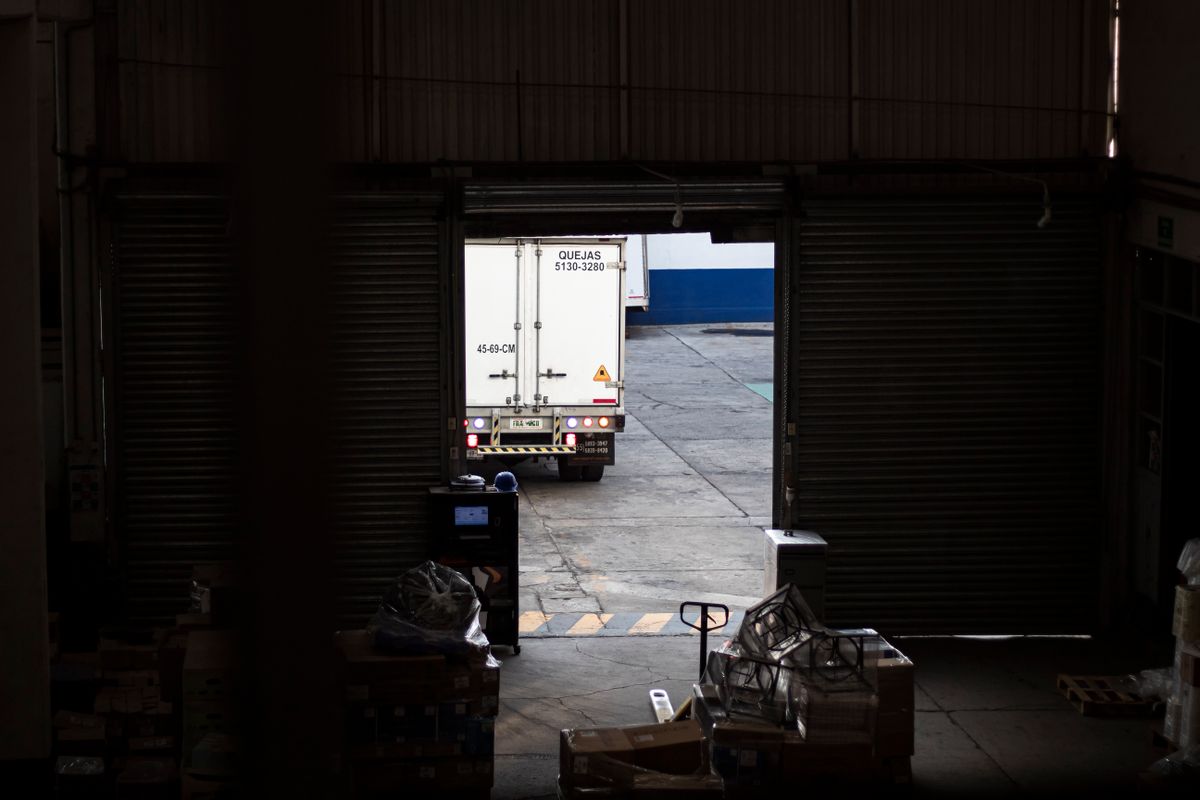 18:4004 / 04
Back at the dock
The driver records distance, toll and fuel. Payroll, cost reports and the next quote already know about it.
No new routines, no extra typing. The information you already handle every day simply stays in one place — and starts working for you.
One system, three desks
Built for the people who actually run the fleet
Dispatch, accounting and management look at the same data from different angles. Each role gets the screens it needs — and only those.

“I see the whole week before the first phone call.”
The planner is your wall board
Every truck as a row, every tour as a block. Drag tours between trucks, stretch them over several days and see immediately where something collides or is missing.
- Overlaps flagged with the exact overlap time
- Tours without a driver or trailer stand out
- Leave, unavailability and public holidays on the grid
Planner
One timeline for trucks, trailers and drivers
The planner shows every truck as a row and every tour as a block on a 24-hour grid. Drag a tour to another truck, stretch it over several days and see at once where it collides.
- 01
Drag and drop assignment
Move tours between trucks. Overlapping tours are flagged together with the overlap time.
- 02
Required driver and trailer
Tours that still need a driver or a trailer are marked, so nothing leaves without a crew.
- 03
Sort the way you dispatch
Today's tours first, by kilometres, or by plate number. Full-screen mode for the wall display.
- 04
Availability built in
Driver leave, vehicle unavailabilities and public holidays are visible directly on the grid.
Costs
The margin of a tour, calculated before you quote it
Every tour carries a full cost model: driver charges, toll, fuel, AdBlue, insurance, steer and maintenance, lease or rental, tires — for the truck and, if required, for the trailer. Add a profit percentage and PlanNXT returns the total price.
After the trip, enter the real distance, duration, toll and fuel and compare planned against actual — per tour and across the fleet.
Try the cost model
Move the sliders — this is the same structure PlanNXT uses for every tour.
- Driver charges252 €
- Toll163 €
- Fuel and AdBlue251 €
- Insurance, maintenance, tires, lease101 €
- Trailer58 €
- Profit 12 %+ 99 €
Tour price
923 €
2 € / km
Example rates for illustration only. In PlanNXT each vehicle, trailer and driver carries its own real rates.
Cost reports and TCO
Overview, by truck, by driver, by trailer and by tour. Daily, weekly, monthly, three, six or twelve months. Cost per km, average per vehicle, average monthly mileage and annual TCO — exported as a report when you need it.
Tour comparison
Put up to three tours side by side and see field by field where they match and where they differ.
Payroll
Driver payroll from the tours they actually drove
Payroll is generated per driver and month from the base salary, the charges of their tours and any tour deductions. Add bonuses or deductions, approve, and hand the driver a PDF statement with a day-by-day report.
- Lifetime and previous-month totals per driver
- Combos for days with several tours
- Approve or unapprove, with every change in the financial logs
- Driver risk leaderboard and top performers on the dashboard

Every driver gets a statement that lists each tour they drove — no arguments at the end of the month.
Dashboard
The whole fleet on one screen
Vehicles, trailers, drivers, tours and balance — with the drivers that need attention, the customers that pay the most and every posting in the ledger.
Vehicles
0
18 working
Trailers
0
2 in maintenance
Drivers
0
3 on leave
Tours
0
this month
Balance
0 €
last 6 months
Driver risk leaderboard
- 13
J. Brandt
3 damages this quarter
- 22
A. Yilmaz
2 tour deductions
- 31
S. Koch
Leave overlaps a planned tour
Top paying customers
- Nordfracht GmbH48.200 €
- Rheinlogistik36.900 €
- Bavaria Cargo28.100 €
- Hansa Spedition19.400 €
Financial ledger
- Payroll · M. Weber− 3.725 €
- Tour #1042+ 2.371 €
- Expense · Office rent− 420 €
- Tour #1046+ 1.189 €
- Fleet status: working, available, in maintenance — hover for the vehicle behind each number.
- Recent tours, tour deductions, vehicle damages and driver leaves as live tiles.
- Top performers by tours, trucks and drivers, ranked for the period you pick.
Why switch
Whiteboard and spreadsheets vs. PlanNXT
Most dispatch offices run on a wall board, a few spreadsheets and a lot of memory. Here is what changes.
Overlap detection
Leave and unavailability on the plan
Margin before you quote
Planned vs. actual
Payroll from tour data
Cost reports and TCO
Financial log
Roles and permissions
German and English
✓ built in · – possible with manual effort · ✕ not available
Control
Every number has a source, every change has a name
PlanNXT is built for offices where money moves: permissions decide who sees what, and the logs show who did what.
Every truck, trailer and posting accounted for — from the yard to the ledger.
Role-based permissions
Dispatchers, accounting and management each get their own role. Permissions are set per module, per user.
Financial logs
Every payroll change, approval and posting is recorded with user and timestamp — and can be opened in detail.
Approval workflow
Payroll is approved or unapproved explicitly. Nothing is paid out by accident.
Documents as PDF
Work orders are stored with the tour; payroll statements are exported for the driver.
German and English throughout
Interface, documents and the company's About, Terms and Privacy pages are maintained in both languages — switch at any time.
FAQ
Questions dispatch offices ask us
Short answers to the questions we hear most. Anything else — request access and we will walk you through it.
How do I get access to PlanNXT?
Sign-up is by request. Tell us your company, phone number and which features you need. We set up your company, roles and users and send you your login by e-mail.
Does it handle trailers (Anhänger) separately from trucks?
Yes. Trailers have their own records, their own cost lines, their own unavailability periods and are assigned to tours independently of the truck.
Can a tour span several days or repeat weekly?
Yes. A tour has a start and end date and time and can stretch over several days on the planner. Repeating tours are created for the weekdays you choose.
Can I compare planned against actual costs?
After the trip you enter the real distance, duration, toll and fuel. The tour then shows planned and actual side by side, and the cost reports use the actuals.
How is driver payroll calculated?
Per driver and month from the base salary, the charges of the tours driven and any tour deductions. You can add bonuses or deductions, approve, and export a PDF statement with a day-by-day report.
Can I restrict what each user sees?
Yes. Roles carry permissions per module. A dispatcher, an accountant and a manager each see only the parts they need.
Is the interface available in German?
Yes. The whole interface and the documents are available in German and English, and every user can switch at any time.
What can be exported?
Payroll statements as PDF, cost reports for the period you choose, and the work-order PDFs stored with each tour.
Getting started
From request to first planned tour
There is no self-service sign-up. We set your company up with you so roles and data are right from day one.
Request access
Tell us your company, phone number and which features you need: drag-and-drop allocation, fleet monitoring, tour profit and loss, driver payroll, office expenses.
We set up your company
Your account, roles and permissions are prepared and you receive your login by e-mail.
Plan the first tour
Add vehicles, trailers, drivers and customers, then drop the first tour onto the planner.
Contact
Talk to us about your dispatch
Questions about the planner, payroll, pricing or onboarding? Send us a message — a real person from the PlanNXT team replies, usually within one business day.
E-mail
Response time
Usually within one business day
We speak
German and English
Put the whole dispatch office on one screen
Tours, trucks, trailers, drivers, costs and payroll — planned once, traced everywhere.
Interface in German and English · Cost model in EUR